
Background
Sage Estimating utilizes a SQL Login that is created for use by third parties (i.e., Eos Navigator) that allows the third party to 'listen for' changes made within Sage Estimating. After the release of Sage Estimating version 21.1, the SQL Login is no longer created by Sage, but must be created post-installation of Sage for use by third-party software solutions. This document outlines the locations where these SQL logins are referenced and provides instructions on how to update or otherwise modify them.
Prerequisites
- Sage Estimating v22.1 or later
- SQL Login affected: SageEstimatingEventListener (or the otherwise SQL login created)
- Sage Estimating Management Console (EMC) [at the Workstation or Session Host where Sage Estimating is installed]
- SQL Server Management Studio (SSMS) [at the SQL Server]
Steps
Only one of the following two methods is required (not both of them).
Method #1 (Using the Sage Configuration Wizard tool)
- Create a SQL login to be used by Sage Estimating and third-party applications
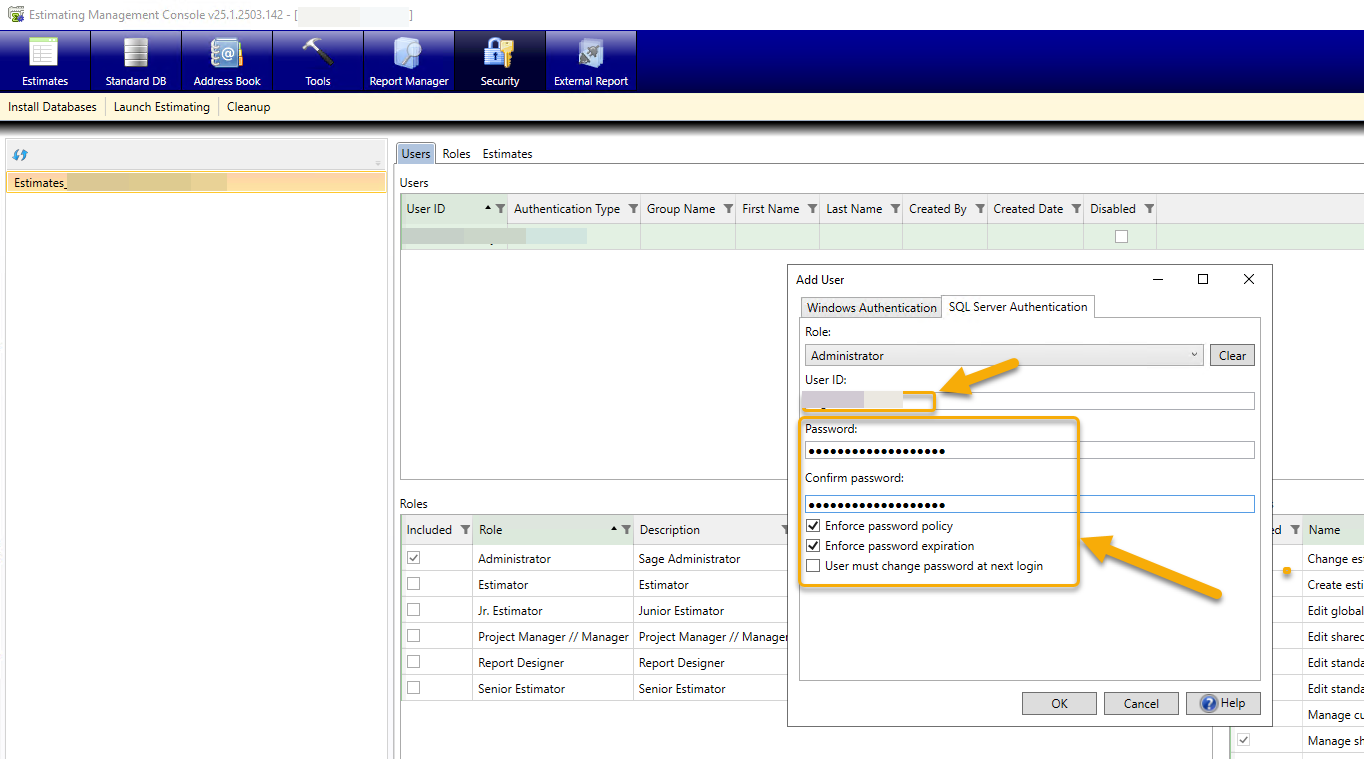
- Launch the Sage Estimating Configuration Wizard and switch to the SQL login you just created, and select Change:

- Click Verify and confirm that Sage Estimating launches using the SQL login.
Method #2 (Using SQL Server Management Studio (SSMS))
- After creating the specific SQL login in Sage EMC, open up SQL Server Management Studio
- At the SQL Server, using SSMS, change the SQL Login password by navigating to the Login Properties > General page of the SQL instance and updating the password.
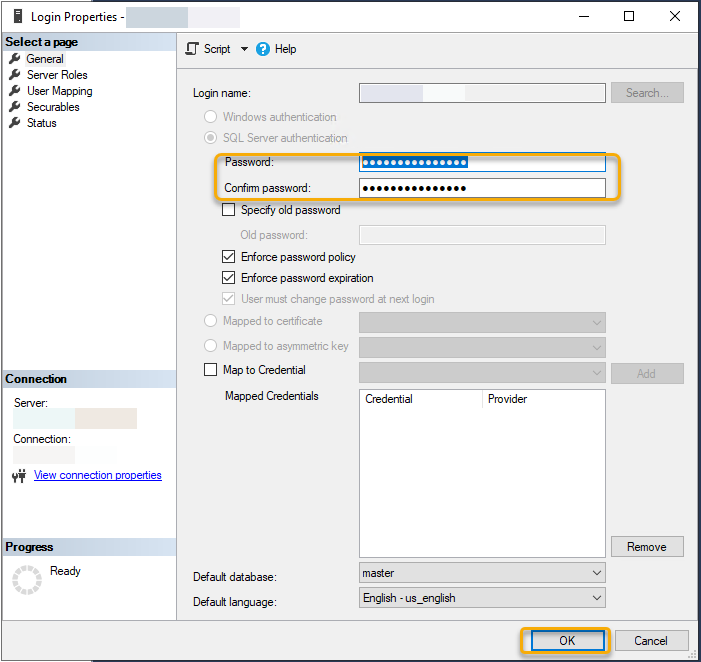
- At the SQL Server, using SSMS, navigate to the SQL server hosting the Sage SQL 'Estimates' Catalog (or whatever name that was provided when the database was created). Expand Stored Procedures, and execute the Security.Fix stored procedure.
- Test: At the Workstation (or Session Host), navigate to and open the Sage Configuration Wizard. Confirm the application opens successfully and connects to the SQL server and Sage Estimates Catalog successfully.
Note: If also updating the SQL logins for Eos Navigator, see this solution.